
Any book can provide a context for making, including fiction as well as nonfiction books. By incorporating literacy into STEM and maker education student learning becomes more connected and meaningful. Due to the transition to online and socially distanced learning, there are many challenges facing teachers as they reimagine read aloud STEM with these new guidelines in place.
The goal of this post is to share possible solutions to many of those challenges including how to conduct a virtual read aloud, tips for engaging students during an online read aloud, how to keep students engaged after the read aloud, as well as some resources for digital books and passages.

1.) Tips for Recording the Read Aloud
There are several options for sharing a read aloud virtually with students. Here are some questions to consider before deciding which tools to use:
Will you be the one reading the story?
Are you going to read the story live to your students or will you record the reading ahead of time?
If you don’t have to be the one reading the story you may be able to find a pre-recorded version online. One option is to share a version of the read aloud on YouTube (make sure that the person who created the video has permission to share it). When looking on YouTube, see if you can find a version of the author reading the story.
In addition to YouTube, there are many other online websites and apps where you can find virtual books. We will explore some of those later in this post.
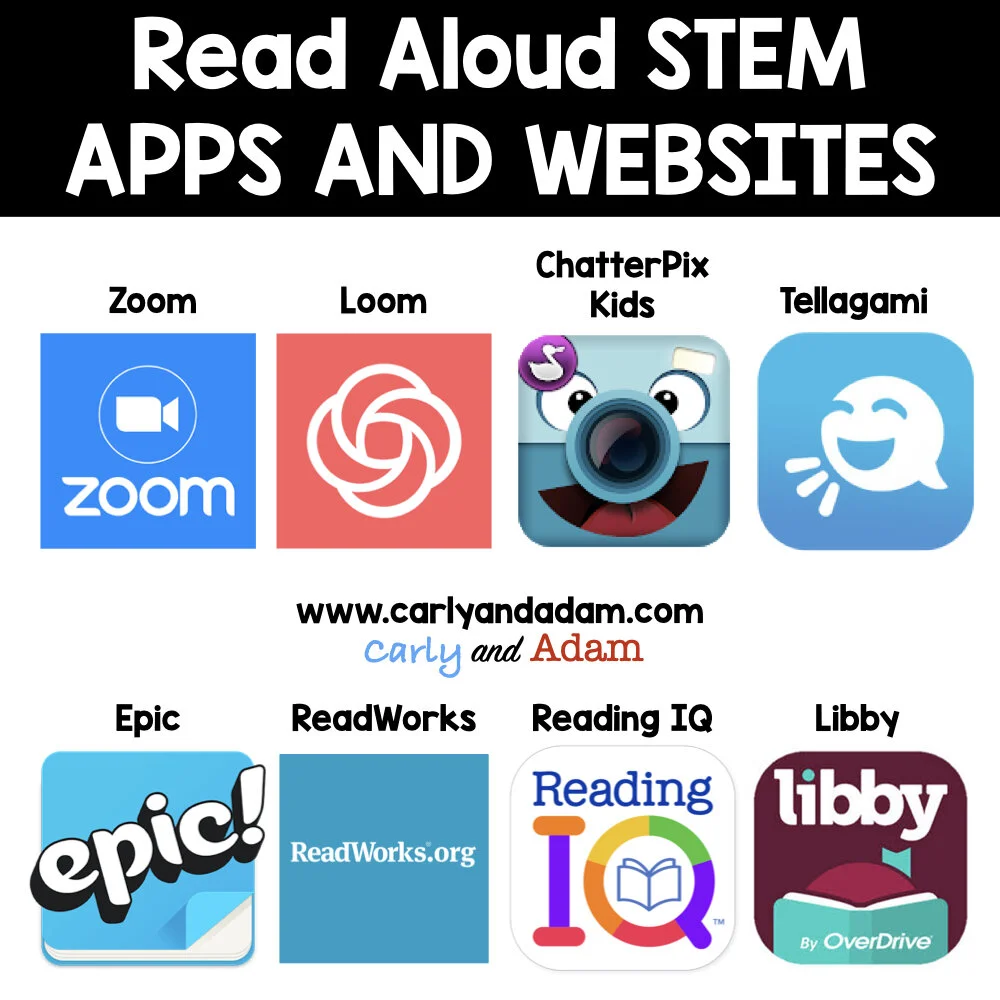
If you are doing the virtual read aloud yourself use Zoom or Loom to record the read aloud. Again, you will want to check with the publisher if you are posting the video online due to copyright. Most publishers are allowing teachers to share recordings on secure, password protected websites like Google Classroom. You can usually find updated copyright information on the publisher’s website.

2.) Engagement Strategies During the Read Aloud
Keep in mind that best practices are still best practices whether you are teaching in person or virtually. During the read aloud you will want to give your students something to do while they listen. This may be as simple as letting them doodle about what they are visualizing during the read aloud. You can also ask a question before the read aloud for students to think about such as, “What is the problem the main character is trying to overcome?” Have students listen for the answer as you read.

3.) Engagement Strategies for After the Read Aloud
Connecting read alouds with STEM allows students to engage with the content in more connected and meaningful ways. By providing students with hands-on creative options to extend their learning even the most reluctant readers are excited to show what they know. The following are some ideas to engage students after a read aloud:
Do a Read Aloud STEM Challenge: Give students a challenge that connects to the story and allows students to be problem solvers. If you are teaching virtually you can use the TPT Digital Tool to share resources with your students through Google Classroom.
Create a ChatterPix Video: ChatterPix is an app that can make anything talk. Have students take a photo of an image that represents the story, then record themselves answering questions, discussing characters, or sharing personal connections about what they’ve read. For a tutorial and FREE activity check out this blog post.
Animate the Story: Tellagami is an app that lets you create all sorts of characters and bring them to life. Students will enjoy creating avatars and incorporating them into their own stories. Use this tool as a story prompt for students or have them use the app to retell the story in a creative way.
Resources for Digital Books and Passages
Getting books in the hands of students during virtual learning can be challenging. One option is to share resources for digital books with students. The following are a few apps and websites that provide access to a library of books at a variety of levels so all students can engage in reading at home.
ReadWorks.org: ReadWorks offers free access to digital reading passages. Search by topic or by grade level. ReadWorks also includes quizzes to measure comprehension and reinforce vocabulary skills.
Epic: With over 40,000 different titles available, Epic is a free tool for teachers. This web-based tool also has an app version, meaning students can take books with them everywhere. Increase student motivation as they choose from titles that meet their interest and reading level.
ReadingIQ: ReadingIQ offers digital texts for ages 5-8. Accessible on tablets, desktops, or phones, students can read or be read to. You can sign up for a free trial of ReadingIQ, but it does come with a monthly fee for use.
Libby: You can also see what options are available for families through your local library. Many branches offer downloadable audiobooks, eBooks, and magazines through the Overdrive website or through the Libby app, which is available for Android and iOS devices.
In Conclusion
Doing read alouds and implementing STEM virtually is challenging, but not impossible. There are a lot of resources available to educators and students to make teaching virtually manageable and engaging for students. For more read aloud STEM tips and tricks make sure you download the eBook Tips for Implementing Read Aloud STEM Virtually and in the classroom from our FREE STEM resource library.
Want done for you Read Aloud STEM lessons? Check out our Read Aloud STEM activities!

Join our FREE Facebook group Elementary STEM Teachers with Carly and Adam! Learn more about how to incorporate STEM in your classroom or at home and collaborate with other STEM teachers! JOIN NOW!

We hope you have found this blog post helpful. To stay connected with Carly and Adam's teaching tips and classroom freebies be sure to follow us on Facebook, Pinterest, Teachers Pay Teachers, and subscribe to our blog!